
Buying and Installing an Infrared Touch Frame: A No-Nonsense Guide from LMENGER
You've decided an infrared touch frame is the cheapest way to add touch to your big screen. Good call. Now the practical questions: What size? What else do you need? Can you install it yourself? We build these every day, so here are the straight answers.
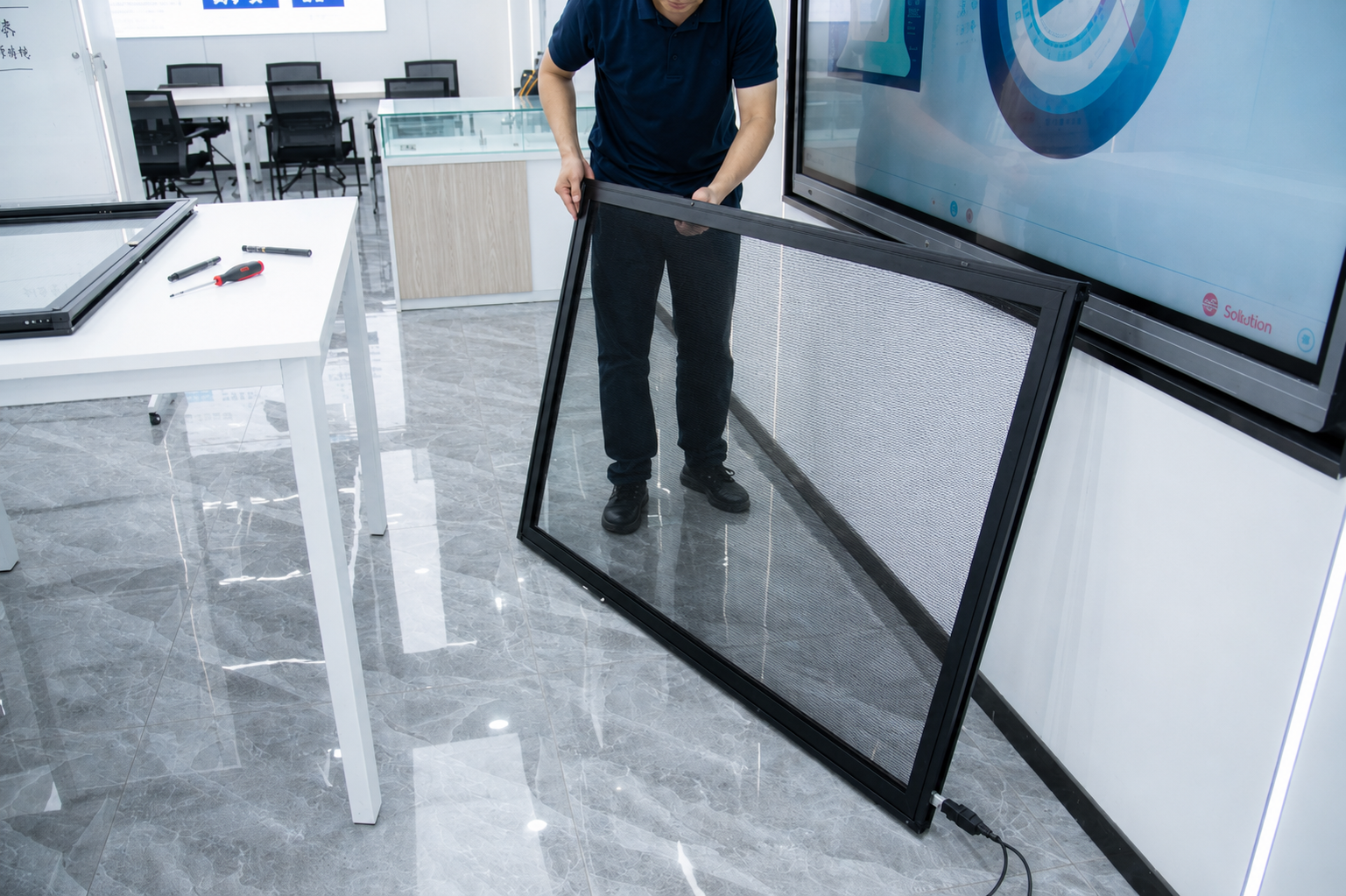
Step One: Get the Size Right
The TL Series runs from 32 to 65 inches. Two things to check before ordering:
- The opening, not the diagonal. The 32-inch frame measures 743.4 × 438.1mm outside; the opening over your picture is 701.7 × 396.3mm. Your screen's picture must fit inside that.
- The shape. TL frames are 16:9 widescreen. An old 4:3 display won't line up, no matter how clever the mounting.
Remember, no display is included — you're buying touch only and pairing it with your own panel. If you're buying both, tell the supplier so they can match them at the factory.
In the box: the frame (labeled sections), mounting hardware, and USB cable. No power adapter needed — it runs on 5V under 200mA straight from the computer's USB port. One cable does everything.
Installation: Yes, You Can Do This Yourself
1. Lay out the frame sections and find the labels.
2. Match them: A to A, B to B, C to C, D to D — nearly impossible to assemble wrong.
3. Join the corners and tighten every screw (a loose corner means dust gets in and accuracy drifts).
4. Seat the frame around the front of your display.
5. Plug in the USB. The computer recognizes it within about three prompts — no drivers.
6. Open a drawing app and drag a finger across. The line should follow.
Works with Windows, Android, and Linux. Response under 10ms, position resolution 32,768 × 32,768, USB 2.0 at 480 Mbps.
The Mistakes First-Timers Make
Blocking the beams. The infrared beams cross the front of the screen from the frame's edges. Tape a poster over a corner, or let the screen bezel cover part of the frame, and touches in that area stop registering. Keep the beam path clear.
Letting water pool on it. The frame handles 90% humidity, chalk dust, and strong direct sun — but it's still electronics with sensors in the edges. Don't install it where water collects; wipe spills, don't hose it down.
Measuring the bezel instead of the picture. The opening must match the lit-up picture area, not the plastic surround of the TV.
Forgetting gloves work. Anything opaque over 4mm works — fingers, gloves, pens, pointers. In winter workshops and cleanrooms, that alone is worth the price.
Where These Frames End Up
Classroom whiteboards (several kids writing at once, 20–40 touch points), meeting-room screens, retail displays upgraded instead of replaced, self-service kiosks, and factory control stations with gloved operators.
Because the frame comes apart into labeled sections, one damaged corner doesn't mean buying a whole new unit — a quiet saving that adds up over a fleet of kiosks. And the range is forgiving: -10°C to 50°C.
The TL Series is available now, with genuine parts, 6,000+ items in stock, fast global shipping, and real humans answering technical questions online. Send us your screen measurements and we'll tell you which frame fits before you order — through the LMENGER website.
About LMENGER — LMENGER builds industrial touch displays — infrared touch frames, infrared touch screens, and open-frame and industrial touch monitors — for schools, shops, offices, transport, healthcare, and entertainment worldwide.


